 MATLOOK
Get started
Your first material comparison
Follow a demo schedule from preparation through a request, review and a saved conclusion.
What will you produce?#
A source-based comparison table and a list of missing information. This exercise uses fictional demonstration data and does not produce a procurement decision.
Before you begin#
Use the desktop app or a cloud workspace with the required capabilities and a working model connection. Download the bilingual demo material schedule. Open it in a spreadsheet and inspect its blank fields.
Follow these steps#
- Select the execution target and workspace. Add a project named “Tutorial practice”.
- Create a conversation from that project row and name it “Lobby floor comparison”.
- Attach the demo CSV using the attachment control. Confirm it is ready before sending.
- Choose a model and Explore mode. Ask for an answer in the conversation before requesting a saved file.
- Check every row against the attachment. Remove invented prices, test conclusions or delivery commitments and mark them “To confirm”.
- If you need a file, specify the format and destination, then approve the write in an appropriate permission mode. Open the resulting file to inspect it.
Copy this request#
Compare Stone A and Stone B using only the attached demo material schedule.
Include finish, dimensions, tax-inclusive unit price, lead time and slip-test documentation.
Write “To confirm” for missing information. Do not infer or invent values.
Cite the source filename and material ID for each item.
First return the comparison and a missing-information list. Do not write files or send anything externally yet.
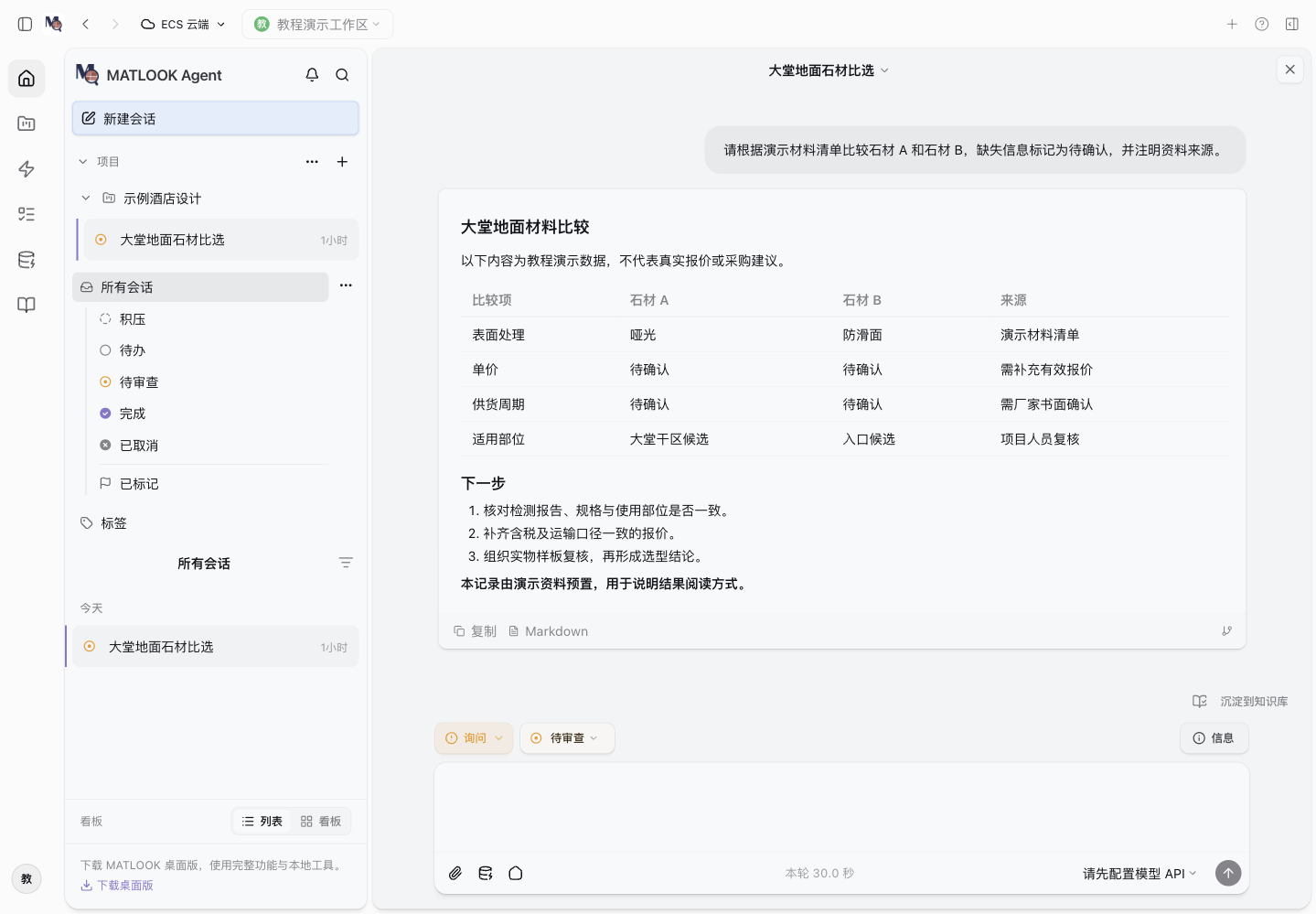 An actual application view with preloaded demo records. It illustrates navigation and review, not a measured model response.
Check the outcome#
Keep material IDs, units and missing fields visible. Do not make recommendations beyond the evidence. Mark the conversation Needs Review, then Done after human review. Create another conversation to repeat the exercise while preserving the first record.