 MATLOOK
Build knowledge
Import sources & review knowledge
Turn files into reviewable drafts and approve checked content into the knowledge base.
Before you begin#
Choose a personal or workspace knowledge base and confirm your write and review permissions. Use the demo reference for practice, not confidential client documents in a public demonstration.
From file to reviewed knowledge#
- Open Knowledge and select the destination base.
- Open the drafts tab, currently labeled 草稿箱 in some interfaces, and upload files or a folder.
- Inspect each file's parsing result. A failed file is not a successful import.
- Review the draft title, body, source, sensitivity and similar content.
- Approve suitable content; handle invalid or duplicate drafts using the available actions.
- Search the approved entry in Knowledge and check its source.
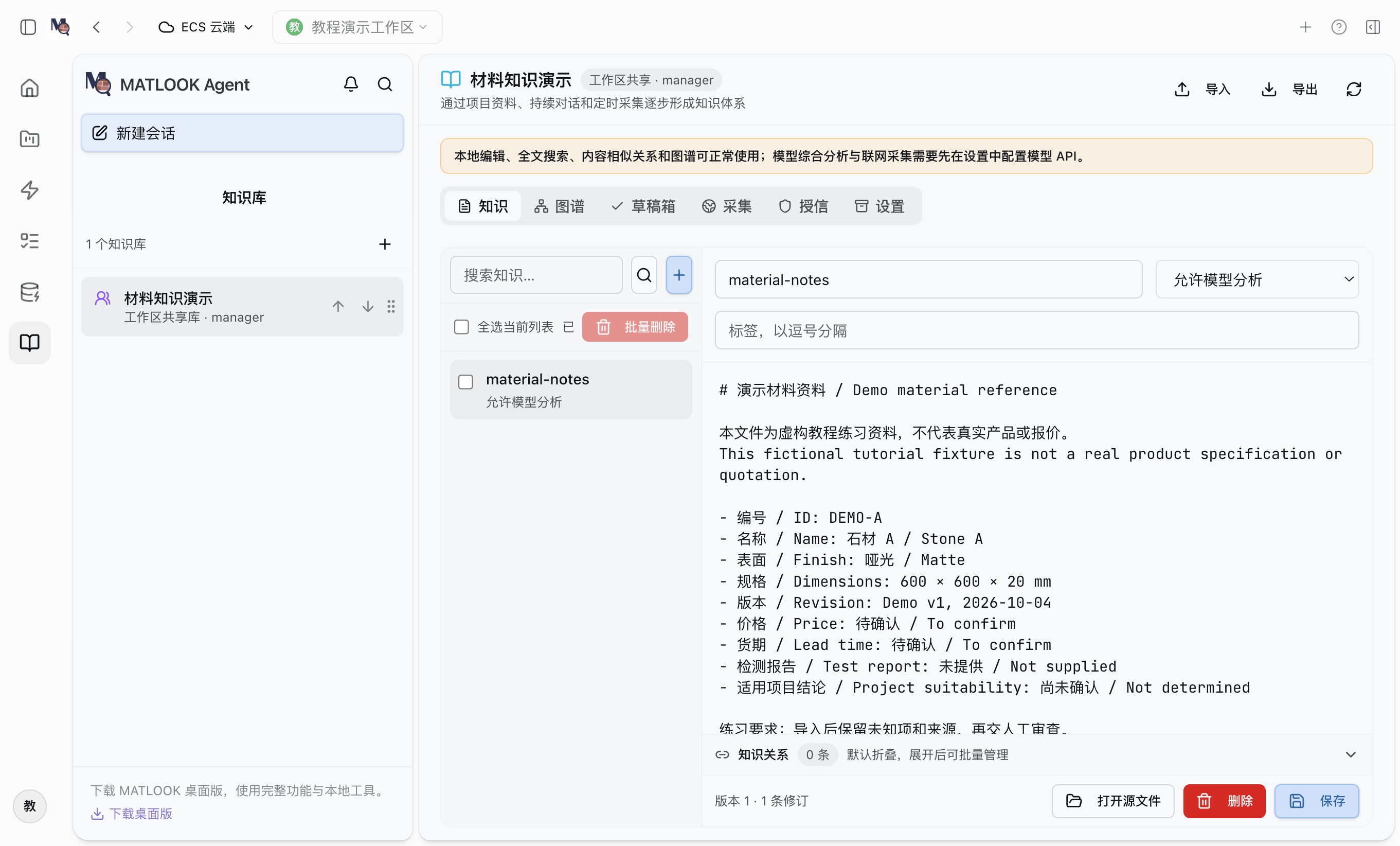 Tabs such as Knowledge, Graph, Drafts, Collection, Grants and Settings appear according to role. Some current controls retain Chinese labels.
How are duplicates detected?#
Source files are identified by content hash. Renaming the same file does not create new content. Look for existing entries first and retain revision details when updating references.
What should you review?#
Cross-check material IDs, specifications, units, quotation dates and project scope with the original. Similarity does not prove two products share parameters. Treat AI summaries as drafts until checked.
Completion check#
The approved entry is searchable, its source can be opened and unresolved items remain explicitly unresolved. Continue with search, revisions and graphs.